
How to self-host n8n with Spunto
Run your own n8n instance as a Spunto deployment, with persistent workflows, a custom domain, and zero exposed ports.

Mathieu
Founder, Spunto
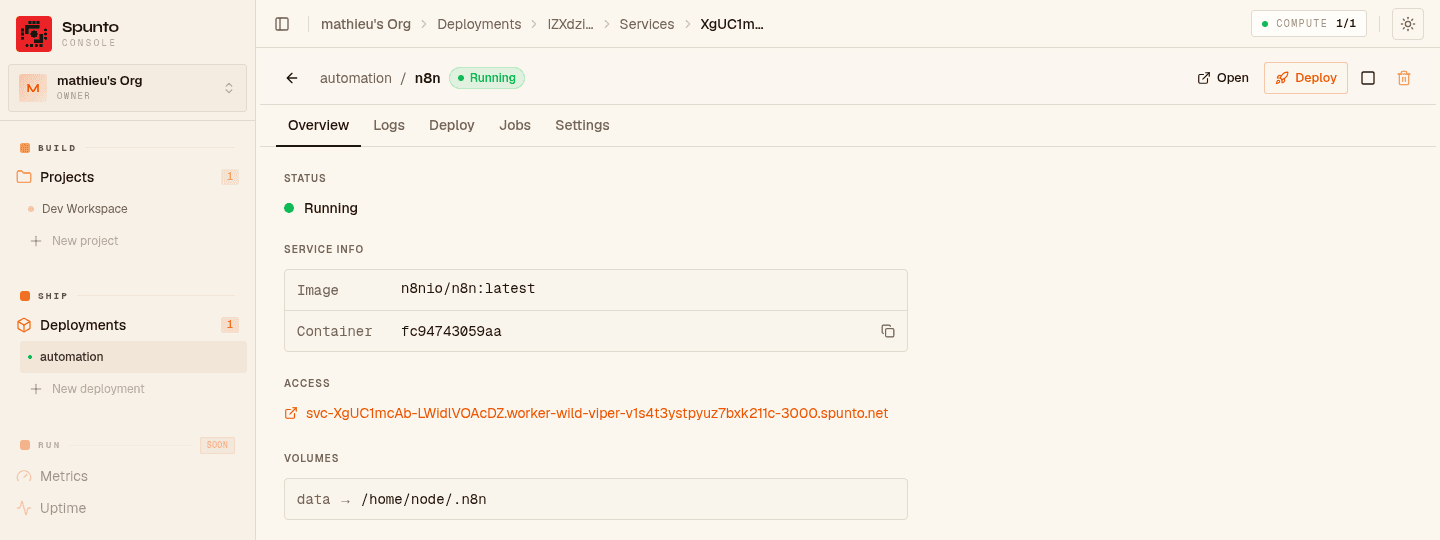
n8n is a great fit for Spunto's Ship side: it's a single long-running web service, it needs its data to persist across restarts, and you'll usually want it reachable at your own domain. This guide walks through deploying it as a custom service in a Spunto deployment.
If you haven't connected a server yet, see Adding a Node first — deployments need at least one online node to run on.
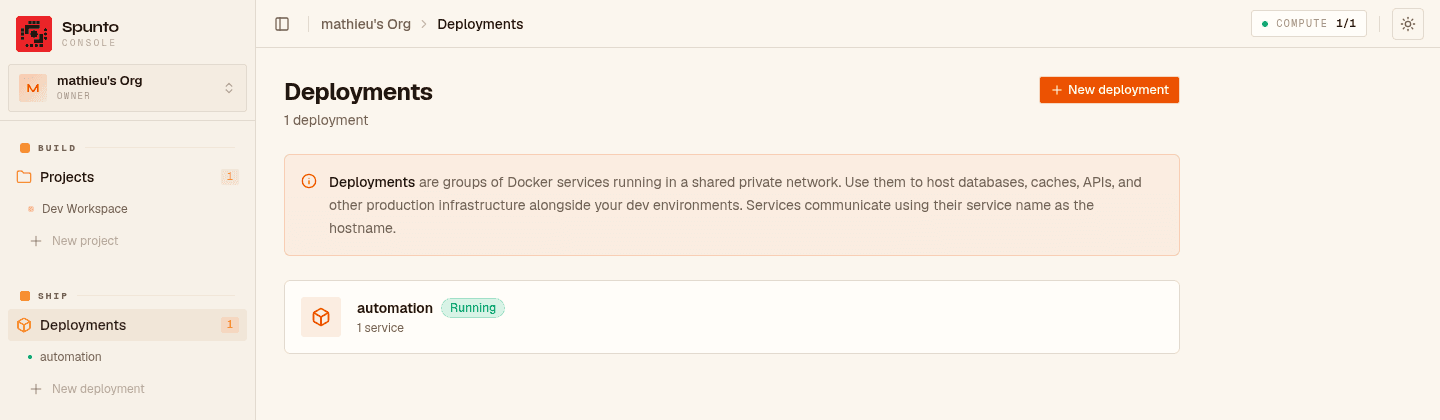
In the dashboard, go to [Your Org] → Deployments → New deployment. Give it a name, e.g. automation. This creates the deployment shell — services are added next.
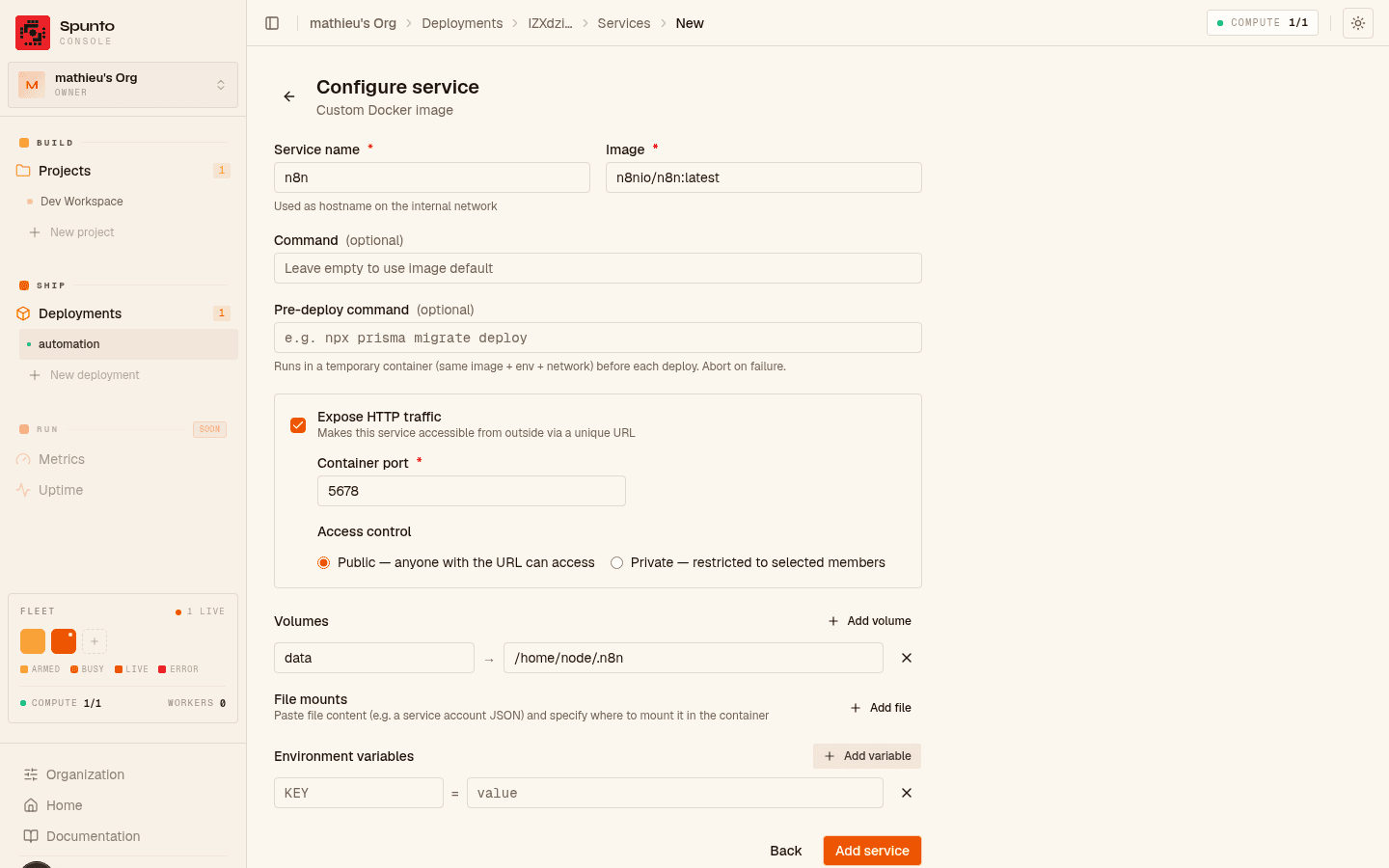
From the deployment page, click Add service → Custom image → Configure custom service, and fill in:
| Field | Value |
|---|---|
| Name | n8n |
| Image | n8nio/n8n:latest |
| Expose HTTP | enabled, port 5678 |
| Volume | name data, target /home/node/.n8n — keeps workflows, credentials, and execution history across deploys |
n8n has its own login screen, so leave the service's auth mode as public — Spunto's private/allow-list mode is for internal tools that have no auth of their own.
N8N_HOST=n8n.example.com
N8N_PROTOCOL=https
N8N_PORT=5678
WEBHOOK_URL=https://n8n.example.com/
GENERIC_TIMEZONE=Europe/Paris
Set N8N_HOST and WEBHOOK_URL to whatever domain you'll verify in step 4 — n8n uses them to generate correct webhook URLs for your workflows.
Click Deploy. The first deploy pulls n8nio/n8n:latest, creates the data volume, and starts the container on your deployment's private network (mp-dep-{deploymentId}). Watch progress and logs live in the service cockpit.
Once it's running, n8n is reachable at the auto-assigned subdomain shown on the service page — useful for a first check before wiring up your own domain.
Here's the full path a request takes once you're live: your domain hits Traefik, which terminates TLS and forwards to the n8n container — and the data volume sits outside that container, so it's untouched the next time you deploy:
- In the service settings, set Custom domain to
n8n.example.com - Add the DNS records:
CNAME n8n.example.com → cname.spunto.net(or your self-hosted instance's domain)- the one-time
TXT _spunto-challenge.n8n.example.comrecord shown in the dashboard
- Click Verify domain
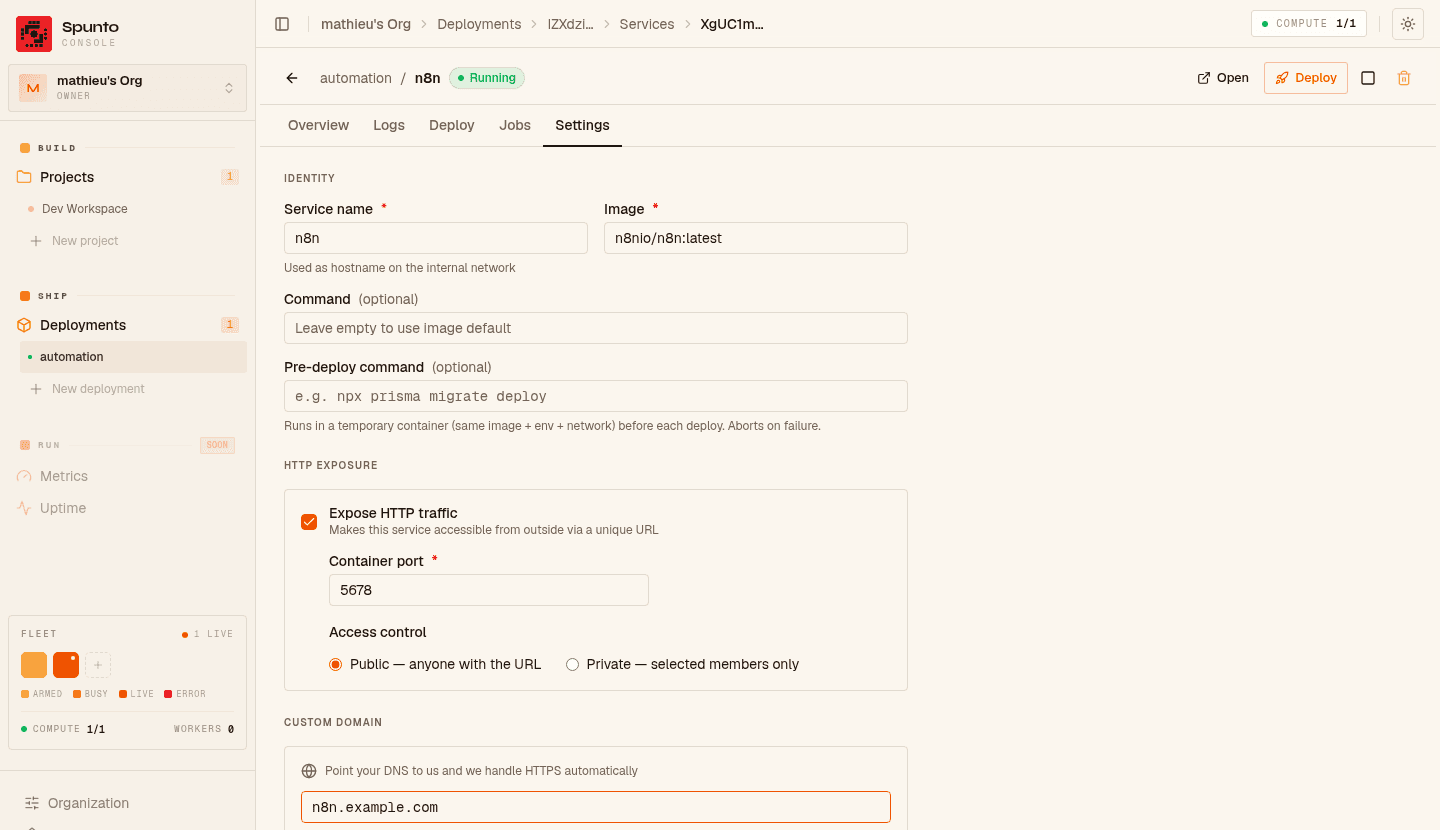
Traefik provisions a TLS certificate automatically on first request (Let's Encrypt HTTP-01) — no manual cert management.
Bump the image tag (or keep :latest and just re-deploy) and click Deploy again. Spunto force-pulls the new image, stops the old container, and starts a fresh one — your workflows and credentials survive because they live on the data volume, not in the container.
If you want a safety net before upgrades touch real data, give the service a preDeployCommand that runs a quick health or backup script before the swap — see Deployments → Pre-deploy hooks.
Workers (Spunto's Build side) are for development — they're meant to be stopped, rebuilt, and thrown away as you iterate. A deployment service is the right home for anything that needs to stay up: it survives project rebuilds, gets its own custom domain, and is what the Run tooling (logs, stats, jobs) treats as a production target rather than a dev sandbox.
Mathieu
Founder, SpuntoBuilding Spunto — self-hosted dev environments for engineers who want their compute to work for them, not against them.