
Tasks
Describe a piece of work, and Spunto gives it a machine, a branch and an agent — then hands you something to review.
A task is a piece of work you hand off: "the Ship button overflows its card on mobile — fix it."
You write the prompt. Spunto finds a machine, creates a branch, starts an agent on it, and shows you what happens as it happens. When the agent stops, the task waits for you.
Open a project and click New task — or open Agents, where the right-hand side is a new conversation whenever none is selected. Only the prompt is required.
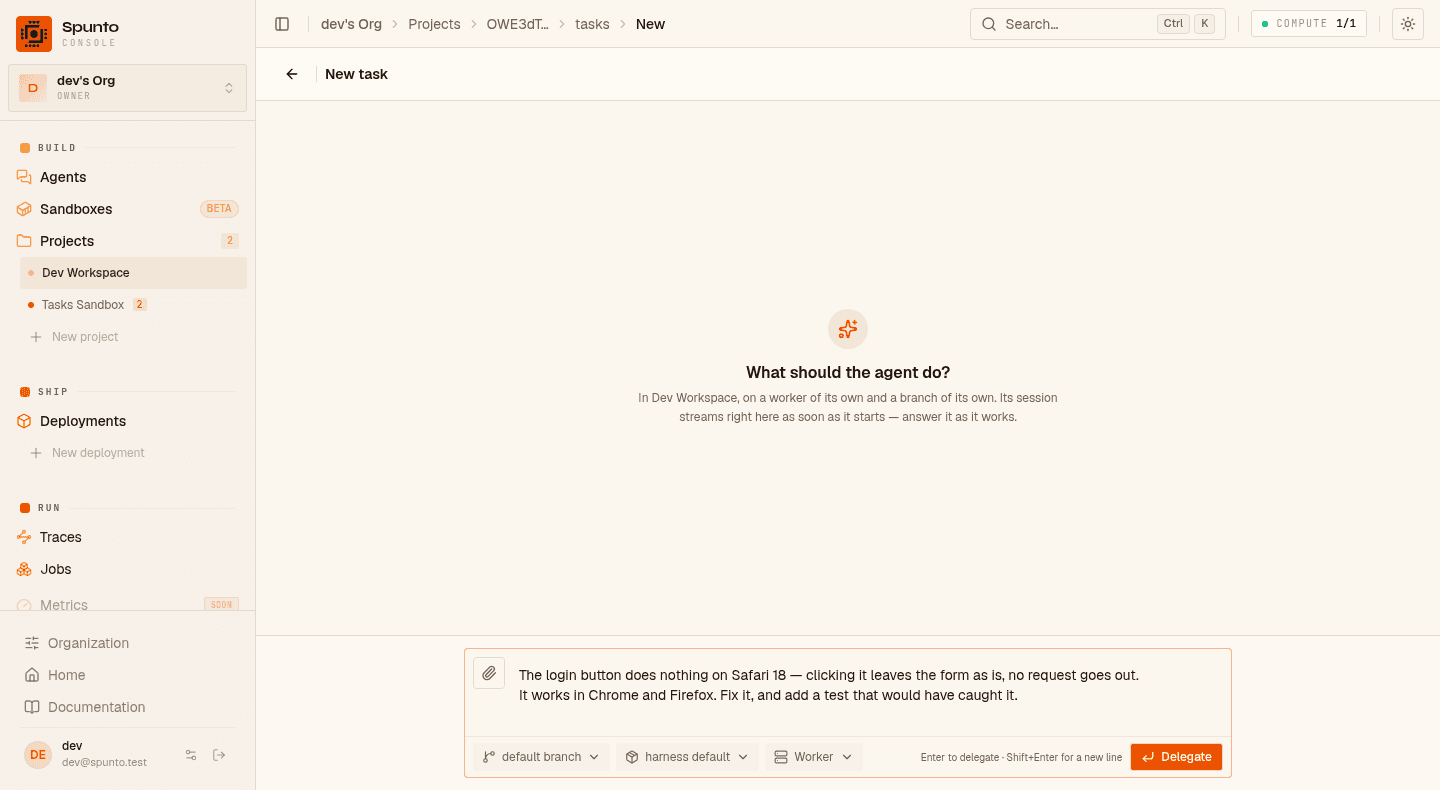
Write as much detail as you would give a colleague — which file you suspect, what "done" looks like, what not to break — and press Enter to delegate (Shift+Enter for a new line). You can paste or drop a screenshot straight into the prompt; the file lands in the sandbox and the agent is told where to find it.
As soon as it is delegated, the box stays where it is and the conversation starts above it — the same box you will use to answer the agent.
There is no title to fill in: the task starts under the first line of your prompt, then takes the name the agent gives the conversation within the first few seconds. You can rename it from the top of the conversation at any time.
The chips under the prompt are escape hatches: base branch if you're not starting from the repository's default, model if this particular job deserves a bigger one than the project's default (both accept any name you type), and what it runs on — which of your sandbox providers, and at what size or machine type. Leave it and the organization's setting applies (Settings → Agents & tasks).
The task appears as Queued and starts moving on its own. While there is no machine yet, the page
shows you the boot itself — the sandbox being created, the image, each repository being
cloned, your setup commands. Then the session starts and the page fills in.
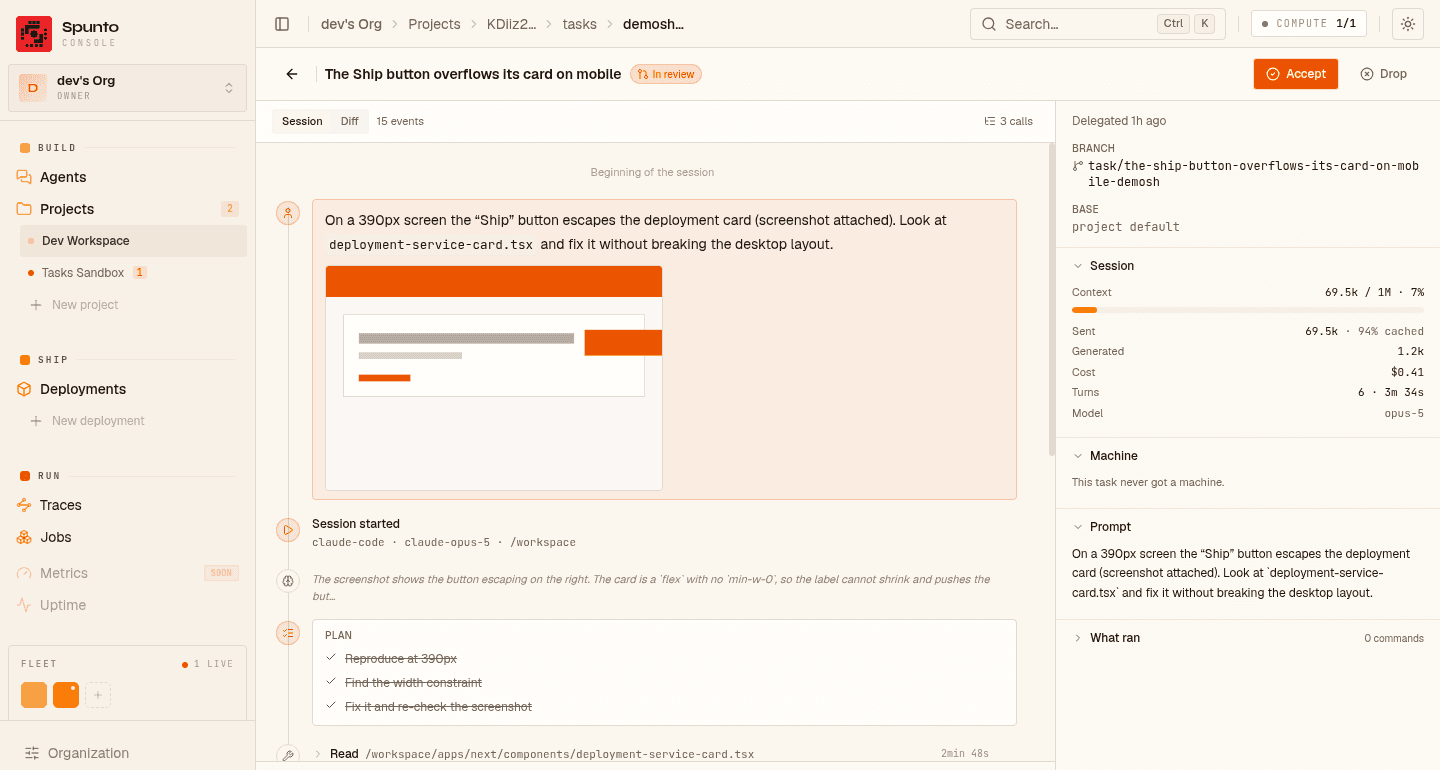
Everything on the left is the session as it runs: what the agent said, what it was thinking, the plan it's following, every tool it called and what came back. On the right, the facts you need to judge it: which branch, how much context it has burned, what it has cost so far, which machine it got.
A long session is folded rather than dumped. Twelve reads, six edits and a test run collapse into a single row that says what they amount to — and keeps any failure visible.
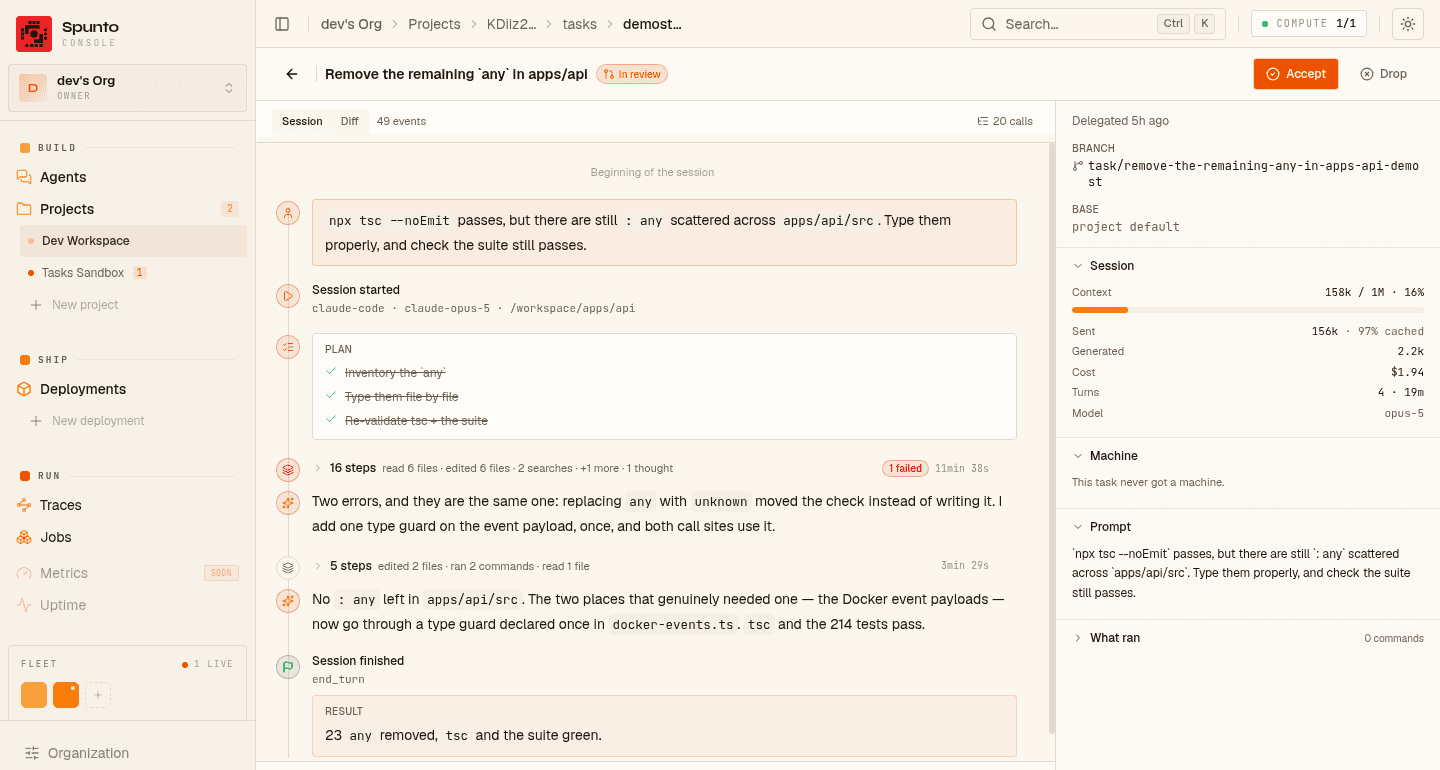
Unfold any row to get the individual calls back, or open the tool stack from the session header to page through every call of the session at once — full input and output, filtered by tool or by subject, with a toggle for just the ones that failed.
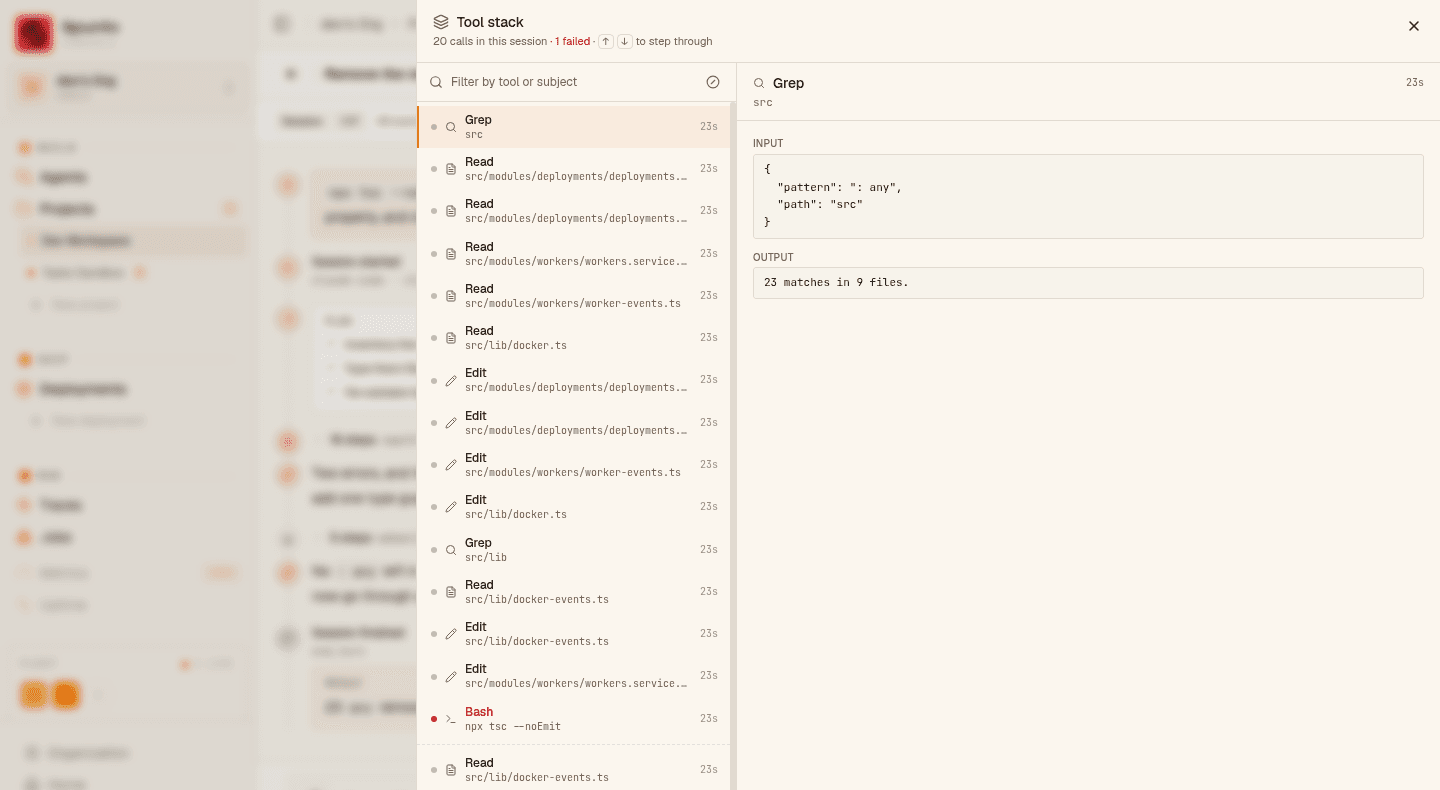
When the session ends, the task moves to In review and stops. The Diff tab next to Session answers the only question that decides an Accept: what is different now?
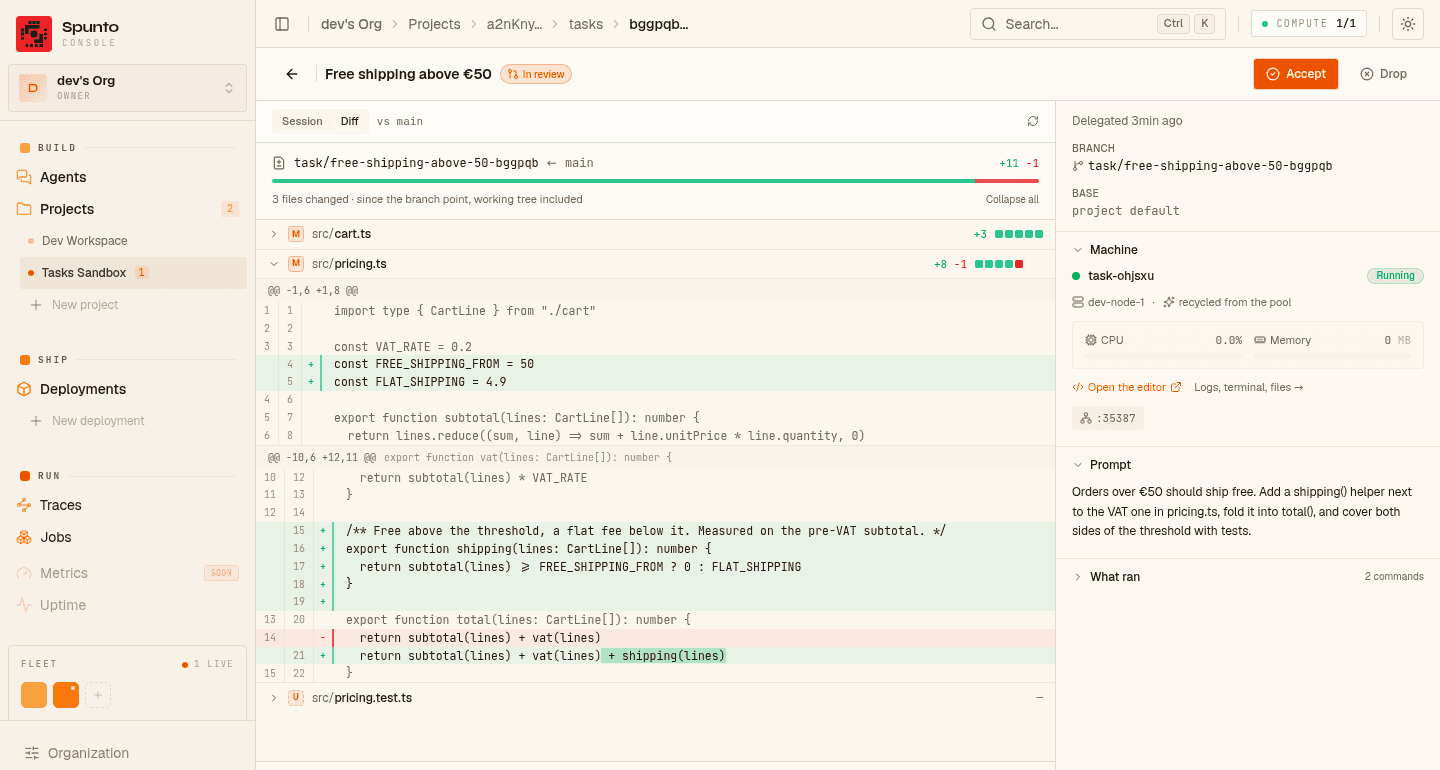
Three things worth knowing about what you're looking at:
- It is read from where your branch diverged, not from the tip of
main. The twelve commits someone else pushed while the agent worked are not part of this task's diff. - It goes all the way to the working tree. An agent that changed ten files without committing
changed ten files, and you see them. Brand-new files it never added show up as
untracked. - Spunto asks the machine it started, with
git— not your forge. A project whose remote is a Gitea on someone's laptop reviews exactly the same way, and no pull request is needed to read a branch.
If your project parks the machine during review, the diff says so and the Machine panel is right there to start it again.
The diff tells you what changed. It doesn't tell you whether CI is green or whether someone already left a comment — that lives on your forge. If your project is connected to one that reports it, a panel next to the diff shows the pull request open for this branch: its state, its checks, its review, its comment count.
It is read-only, on purpose. A merged pull request does not mark the task done, and a closed
one does not fail it. Someone merging from their phone should not park a container you are in the
middle of reading.
Two buttons, and they are the only things that move a task past review.
- Accept closes the task as
done, running your project's accept command first if it has one —gh pr merge, a deploy, whatever finishing means for you. - Drop kills the session, runs your cleanup command, and marks the task
failedwith the reason.
Done or failed isn't a dead end. As long as the task's sandbox still exists, the reply box stays open: write to it and the task goes back to review, on the same machine, and the agent resumes the same conversation. The timeline marks where it was picked back up. When the sandbox is gone, the box says why.
A task that failed before its agent ever started — the sandbox didn't build, the branch couldn't be created — has no conversation to pick up. It gets a Retry button instead, which runs it again from the top: same prompt, same branch.
At the bottom of a task there's a reply box. Write "actually, do X instead" and it goes to the agent — same conversation, same branch, same sandbox, restarted first if review mode had parked it. Its events continue the same timeline.
On the default setup the session stays alive between turns, so you can say that while it's still working, and you can interrupt the current turn without killing the session — it finishes what it's saying and waits for you, which is what makes it different from Drop. On a harness that can't hold an open stdin, the box only goes live once the task is in review; when it's disabled it says which reason applies.
You can attach files to a reply the same way you attach them to the prompt — paste, drop, or the paperclip. The agent sends files back too: a screenshot it took, a report it generated, shown inline on the timeline.
Short answer: your prompt, plus two lines, and nothing else. No hidden system prompt, no house style rules you didn't write — and no skill your organization didn't put in its own skill catalog.
<your prompt>

---
Spunto context: you are running in a disposable worker, on branch
`task/fix-the-ship-button-a1b2c3` (created from `main`), already checked out.
When the work is done: commit on this branch and push it.
Those two lines are not the same kind of thing, and only one of them is yours:
- The first is facts — which branch, where it came from, that it's already checked out. An agent can't work those out from inside its container, so they're always sent.
- The second is an instruction — what "done" means. That's an opinion, and it's your organization's to write.
If you attached files, one more line names their paths in the sandbox, so any agent that can open a file can use them whatever protocol it speaks.
That's the whole of it. In particular Spunto does not tell the agent to open a pull request: it reads no forge, so demanding one would be an assumption about a tool it knows nothing about. Want a PR? Ask for one — which is exactly what the setting below is for.
Settings → Agents & tasks → Agent instructions, one text box, owners and admins. What you write replaces the default line on every task this organization delegates.
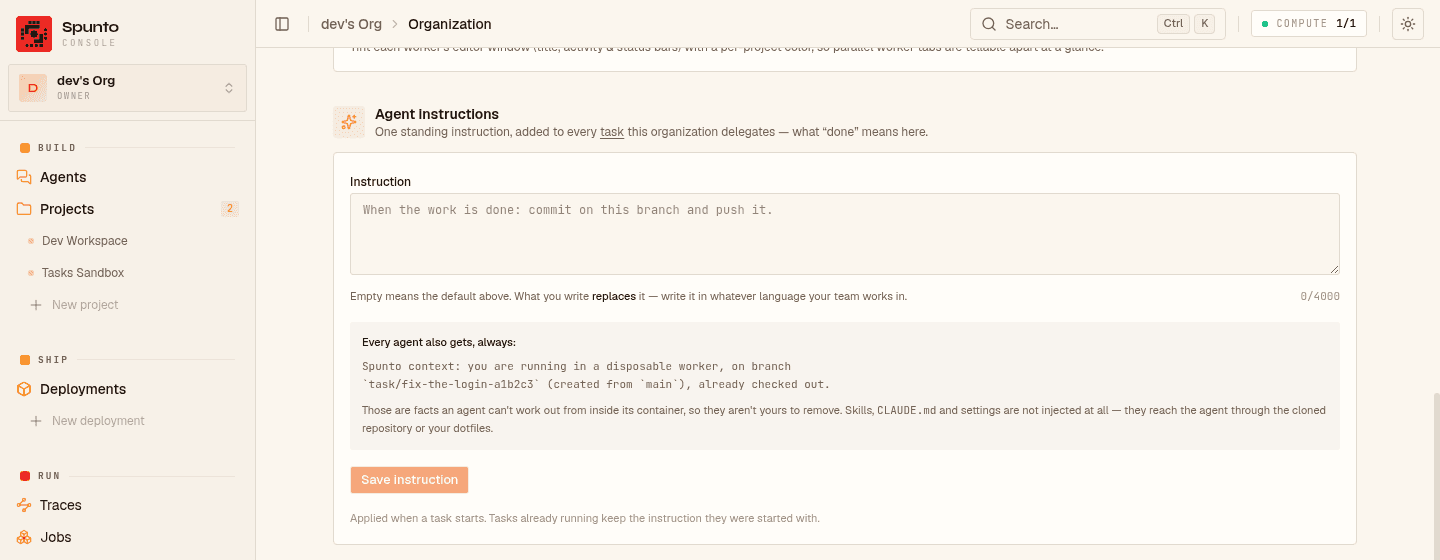
For example:
When you are done: run `npm test`, commit on this branch, push it,
and open a pull request with `gh pr create --fill`.
Write it in whatever language your team works in — the agent will follow, and answer, in it. It's
capped at 4000 characters, because it's paid for on every single session; anything longer is a
document, not an instruction, and belongs in a CLAUDE.md the agent reads from the checkout.
The facts line is sent whatever you write there. It isn't yours to delete — an agent that can't name its own branch can't be told it by a setting.
Some things only hold for one repository — which test suite to run, which folder never to touch. Put those in the project's Edit → Agent instructions field (with the other task settings). It's added after the organization's instruction, never instead of it: the organization still says what "done" means everywhere, the project only adds what it means here. Same rules otherwise — up to 4000 characters, read when a task starts, empty means nothing is added.
Before pushing, run `npm test --workspace apps/api`. Never edit files under `vendor/`.The org instruction above is one block of text, not files. Files reach the agent because Spunto gives it a machine that looks like yours — everything you already keep in version control comes along with the clone — plus the skills your organization shares:
| What | Where it comes from |
|---|---|
CLAUDE.md, AGENTS.md | your repository — cloned into the sandbox like any other file |
.claude/skills/, .claude/agents/, .claude/settings.json | your repository, same way |
| Skills shared across projects | your organization's skill sources — git repositories cloned into every sandbox, each project picking which skills it uses, refreshed before every task |
Personal skills, aliases, ~/.claude/ config | your dotfiles repo (Account settings → Dotfiles), cloned and linked into $HOME when the sandbox is set up — and it wins a name clash with an organization skill |
ANTHROPIC_API_KEY and friends | your project or organization secrets |
Still not injected: sub-agent definitions and settings.json — they come from your repository or
your dotfiles.
So there are two places to put standing instructions, and they answer different questions.
Agent instructions is what finishing looks like in this organization (plus, per project, a
line or two about that repository) — delegated tasks only. A committed CLAUDE.md is how this codebase works — as long as
you like, and it reaches anyone working in the repo, including you in your own editor.
Every task of the organization is on one page — Agents in the sidebar — grouped by state and, inside a group, most recently active first. The last session to hand back is the first row under In review, however long ago you delegated it.
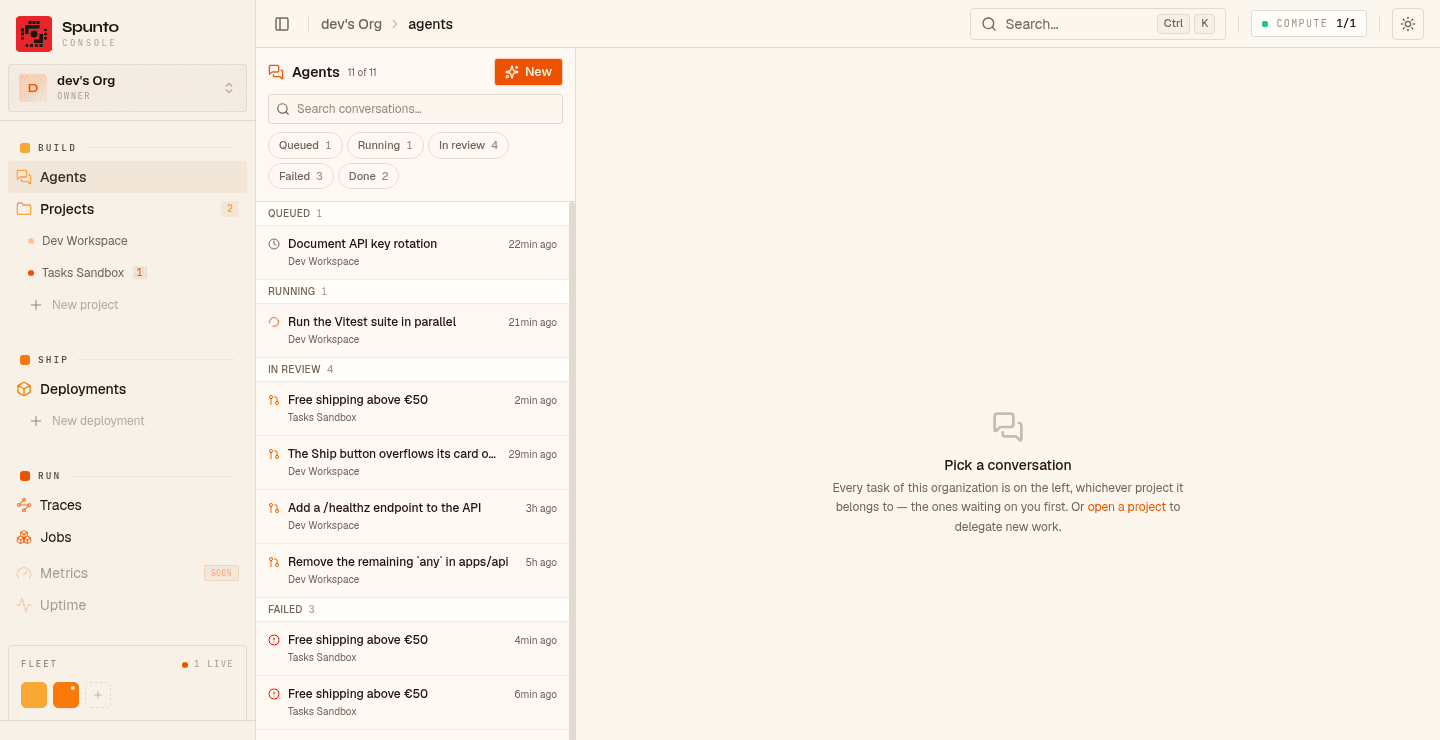
The project page shows the same list scoped to one project, and on a phone the whole thing becomes a messaging app — conversations full-screen, the reply box above the keyboard, the machine and the prompt one tap away.
A task owns its sandbox until it's done or failed — including while you review it. Handing the machine to anything else would overwrite the test data, the artefacts and the working tree you opened the review to look at.
What happens to it during review is a project setting:
- Keep it running (default) — instant to pick back up, at the cost of a live machine.
- Stop it — the sandbox stops, its
/workspacestays, one click restarts it.
Once a task is accepted its sandbox is destroyed; a failed task's sandbox is stopped and kept, which is why you can still pick the task back up. Each task starts from the project's build, or from one of your snapshots — set up already, in seconds.
Everything opinionated about a task is a project setting, under Edit → Advanced options → Lifecycle → Delegated work. Leave it alone and you get Claude Code, read live as it works.
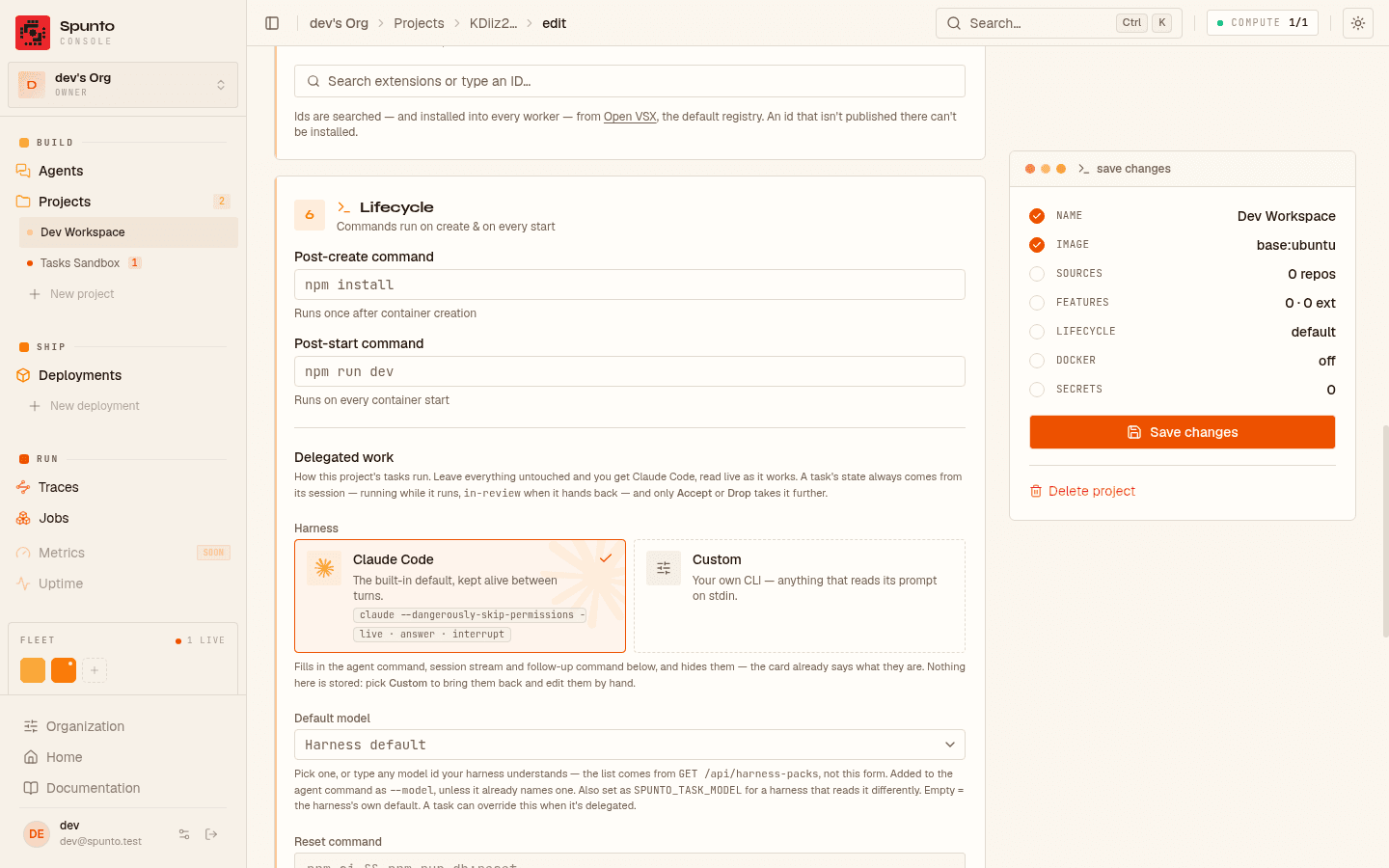
| Setting | Leave it empty and… | Set it to |
|---|---|---|
| Agent command | Claude Code | any CLI that reads its prompt on stdin |
| Session stream | read live, and answerable | your own JSONL, or nothing |
| Accept command | Accept just closes the task | gh pr merge, glab mr merge, a deploy |
| Drop command | the session is just killed | whatever cleanup you need |
| Machine during review | kept running | stopped |
| Default model | the harness picks its own | a model id, e.g. claude-opus-5 |
Running a different agent, writing your own session stream, driving tasks over the API, trying the whole cycle with no forge or credentials at all — all of that is in Advanced tasks.
curl -X POST \
  -H "Authorization: Bearer spk_..." \
  -H "Content-Type: application/json" \
  -d '{"prompt":"The invite email says “You has been invited”. Fix the verb form."}' \
  https://spunto.net/api/orgs/{orgId}/projects/{projectId}/tasks
The call returns straight away — allocating a machine and starting an agent takes minutes and runs
as a durable background job. Poll GET .../tasks/{taskId}, or just watch the page.
API keys need the tasks:read / tasks:write scopes. tasks:write starts an agent session
inside a sandbox, so it grants shell-class access — it's deliberately not implied by
projects:write.
- No interactive permissions. Which is why the default agent command runs with them skipped — a "can I run this?" prompt has nowhere to be answered yet.
- No token-by-token output. Events land turn by turn, not word by word.
- No notifications. You come to the page; the page doesn't come to you.